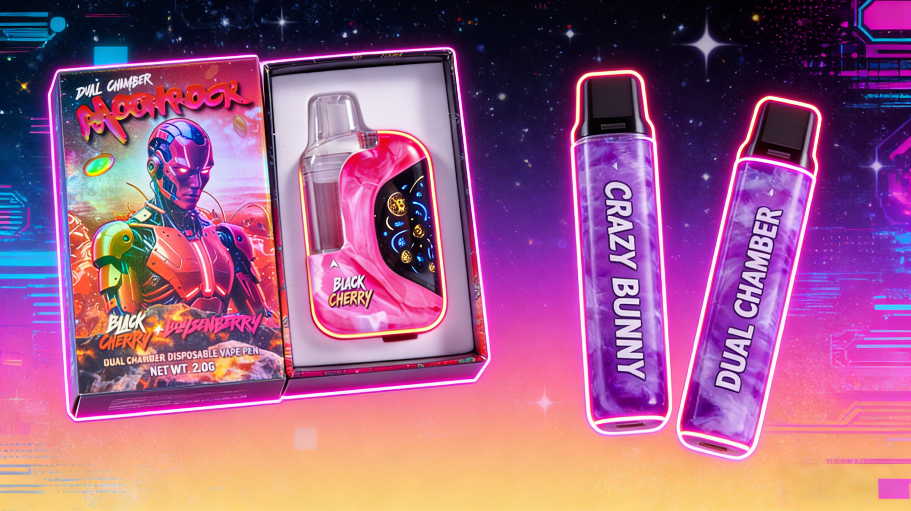
Common Reasons Your Rechargeable Moon Rock Disposable Vape Isn’t Charging and How to Fix Them
When people search for "rechargeable moon rock disposable vape not charging," the issue is usually not a single isolated defect, but rather a small set of common causes: an incompatible cable, moisture or debris in the USB port, exposure to extreme heat or cold, deep discharge following prolonged storage, or simply the end of the device's lifespan—as is common with sealed units. This issue is particularly relevant because, nowadays, disposable vapes are often—contrary to their name—actually rechargeable: The CDC explicitly notes that disposable e-cigarettes may come pre-filled and are *sometimes* rechargeable, even if they are not designed to be refilled.
At the same time, charging issues with a vape should never be dismissed as a mere trifle. Lithium-ion batteries can become dangerous if damaged, overheated, or subjected to improper charging. For the full year 2024, the FAA reported a record 89 incidents involving lithium batteries—resulting in smoke, fire, or extreme heat—within the aviation sector; by June 30, 2025, an additional 38 incidents had already been added to this tally. Furthermore, the CPSC points out that incidents involving batteries and chargers have been reported during use, storage, and charging.
1. The most common problem: The cable, power adapter, or outlet does not fit properly.
The most banal reason is often the correct one. Official support notes from Apple and Google repeatedly cite the same triggers: a defective or unsupported charging cable, an unsuitable power adapter, or a power source that supplies electricity but does not charge stably enough. Apple lists typical causes such as a damaged charging port, defective accessories, or a USB charger that is not designed for charging at all. Google likewise recommends first testing the cable, adapter, and power outlet.
Here’s how to fix it:
Connect the device directly to a wall charger instead of to a low-power USB port on a laptop or in a car. Test a different, undamaged cable and a different power adapter. If your Moon Rock disposable charges via USB-C, the cable should be neither kinked nor corroded. If the cable becomes unusually warm, stop charging immediately and discontinue use. Apple explicitly recommends against continuing to use damaged accessories.
2. Dirt, oil residue, or moisture in the charging port blocks the charging process.
With vapes, the charging port is particularly vulnerable: it often sits loosely in pockets, comes into contact with dust, lint, or condensation, and is rarely carried in a protected manner. Google, Apple, and Samsung describe precisely this type of problem very clearly regarding USB-C devices. Google advises checking the USB-C port and cable for moisture or dirt; Samsung notes that dust or foreign objects in the port can block the charging process for safety reasons. Apple warns against charging a device while the port is still damp.
Here’s how to fix it:
Unplug the charger. Hold the port facing downward and gently tap the device against your palm to dislodge any loose particles. Afterward, allow the device to dry completely at room temperature. Do not use liquids, metal needles, or harsh cleaning foams. Apple recommends a soft, dry, lint-free cloth for the connector and cable; Google explicitly advises against inserting any objects into the USB-C port.
3. Too Hot or Too Cold: The Charging Electronics Shut Down for Self-Protection
When encountering a device that "won't charge," many users immediately suspect an empty or defective battery. In reality, however, modern charging electronics often intervene preemptively if the temperature is outside the acceptable range. Apple specifies a normal operating range of 0 to 35 °C for the iPhone and iPad; outside this range, the device's behavior may change, and if the internal temperature becomes too high, it may even stop charging entirely. Samsung likewise notes that charging may be restricted if either the device or the surrounding environment is too hot or too cold, and recommends room temperature for stable charging. Furthermore, OSHA warns that charging below freezing point can cause permanent damage to lithium-ion cells.
Here’s how to fix it:
Do not place the vape in direct sunlight, on a car dashboard, or directly next to a heater. If the device has just come from a cold car or from the outdoors in winter, wait until it has adjusted to room temperature. If the casing feels hot to the touch, do not continue charging; instead, let it cool down first. For lithium-ion batteries, allowing the device to reach a normal temperature before charging is significantly safer than attempting to force a charge.
4. The battery is deeply discharged because the device sat unused for too long.
Another common reason for issues with disposables is prolonged storage. Small, sealed vapes often sit unused for weeks or months until the battery level drops so low that the device appears to be "dead." Microsoft explicitly recommends against storing devices with lithium-ion batteries in a completely discharged state; instead, they suggest keeping them at a charge level of 40–60%. For extended storage periods exceeding 30 days, Google recommends maintaining a charge level of at least 50% to prevent deep discharge. Furthermore, Android-Hilfe notes that a completely discharged device may sometimes take at least 30 minutes of charging before showing any signs of life.
Here’s how to fix it:
If your disposable device hasn't been used for a very long time, don't just plug it in for two minutes and give up. Leave it connected to a working charger at room temperature for 20 to 30 minutes. If the indicator or LED still doesn't respond after that, try again using a different cable and a different adapter. If the device remains completely dead, there is a high probability that the battery has been discharged too deeply or is already internally damaged.
5. The charging port is mechanically damaged or corroded.
If a vape is frequently carried in pockets alongside keys, loose change, or dust, the port is usually the first component to suffer. Google identifies burnt, melted, or corroded USB-C ports as clear instances requiring repair or replacement. Samsung points out that damaged or corroded ports and cables can lead to slow charging, charging interruptions, or overheating.
Here’s how to fix it:
Examine the port under good lighting. If the connection is loose, wobbly, discolored (greenish), looks scorched, or if the device only charges when the cable is held in a specific position, this is no longer a cleaning issue. In the case of a sealed disposable device, a DIY repair attempt is generally not worth it. Replacing the device is safer than prying it open, resoldering, or attempting "USB hacks."
6. The device has simply reached the end of its service life.
Even if a disposable device is rechargeable, it remains a single-use product with limited hardware quality and limited battery lifespan. Microsoft points out that lithium-ion cells degrade and lose capacity with every charge and discharge cycle. As a benchmark for current smartphone batteries, Google cites approximately **800 to 1,000 charge cycles before capacity drops to around 80%**; in practice, a small, cost-sensitive disposable device will often fail to achieve this level of durability. While this final statement is a technical conclusion, it follows logically from general data on battery aging and from the smaller, typically simpler hardware found in such devices.
Here’s how to fix it:
If the device has been fully drained multiple times, experiences charging interruptions, only fires for a few seconds at a time, or charges but immediately cuts out again, there is usually not much left to save. In the case of a sealed disposable device, the sensible course of action is not to repair it, but to replace it.
7. Very important: Do not force it when charging, and do not attempt any makeshift solutions.
As soon as a vape becomes unusually hot while charging, swells, crackles, smells burnt, or emits smoke, troubleshooting must cease immediately. The U.S. Fire Administration identifies overcharging, overheating, aging, and physical damage as typical conditions that can trigger lithium-ion-related incidents. The FAA states that, due to their lithium batteries, vapes are classified as hazardous materials; they must never be used or charged on an aircraft. Furthermore, the EPA reiterated its guidance in early 2026: E-cigarettes and vapes do not belong in household trash or recycling, as damaged lithium batteries can cause fires.
This is also the point at which many failed attempts become risky: prying devices open, charging them via exposed wires, scraping out the charging port, or improvising a USB connection for a disposable device that is not explicitly designed to be rechargeable. A study on ENDS modifications published in 2024 describes precisely such practices—such as charging disposables not intended for this purpose using exposed cables—and classifies them as problematic modifications.
Conclusion
If you are trying to resolve an issue where your rechargeable Moon Rock disposable vape is not charging, it is worth following a systematic approach rather than blindly troubleshooting: first, swap the cable and power adapter; next, check the charging port for dust and moisture; then, allow the device to reach room temperature; and—especially if it has been in storage for a long time—let it charge for at least 20–30 minutes. If the charging port is visibly damaged, or if the device becomes hot, begins to swell, or remains completely unresponsive despite these steps, replacing the unit is the safer and more sensible solution. Current data from regulatory bodies and support services sends a clear message: while charging issues with small lithium-powered devices are often minor, they should never be treated carelessly.
Attention : moon rock 2g vape | empty 2 gram disposable | cheap vape
 empty 1g vape
 empty 2g vape
 empty 3g vape
 empty dual chamber vape
 empty led vape
 USA STOCK VAPE
 EU German stock vape